
Run Your Logistics Team from One Dashboard
Invite team members, assign roles and permissions, and track every deal, rating, and conversation — all from a single dashboard built for logistics managers.
How It Works for Managers
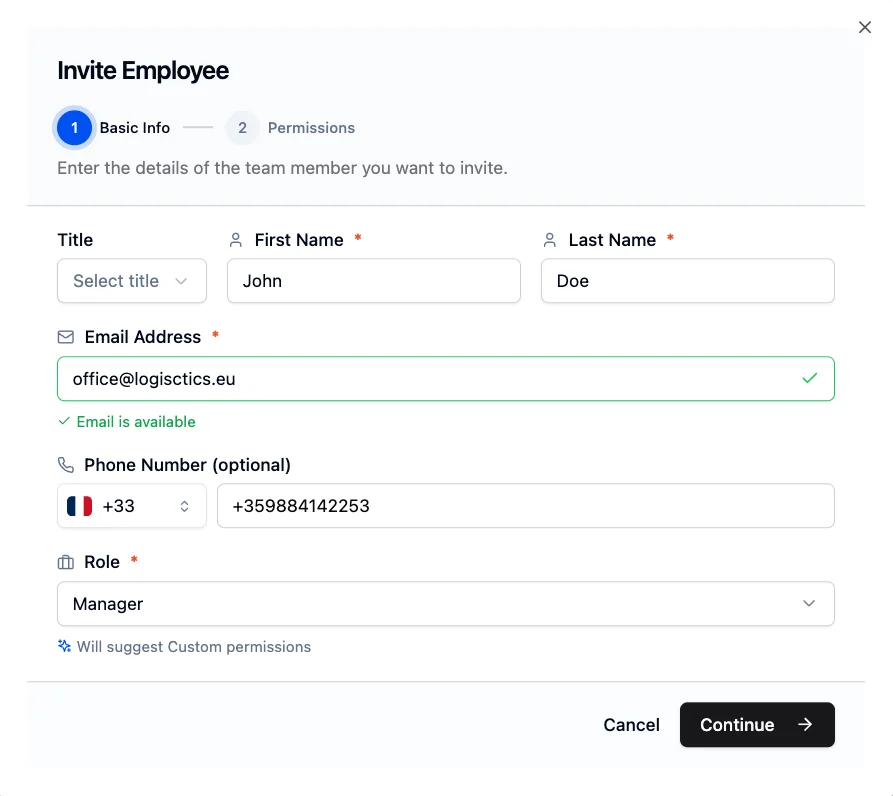
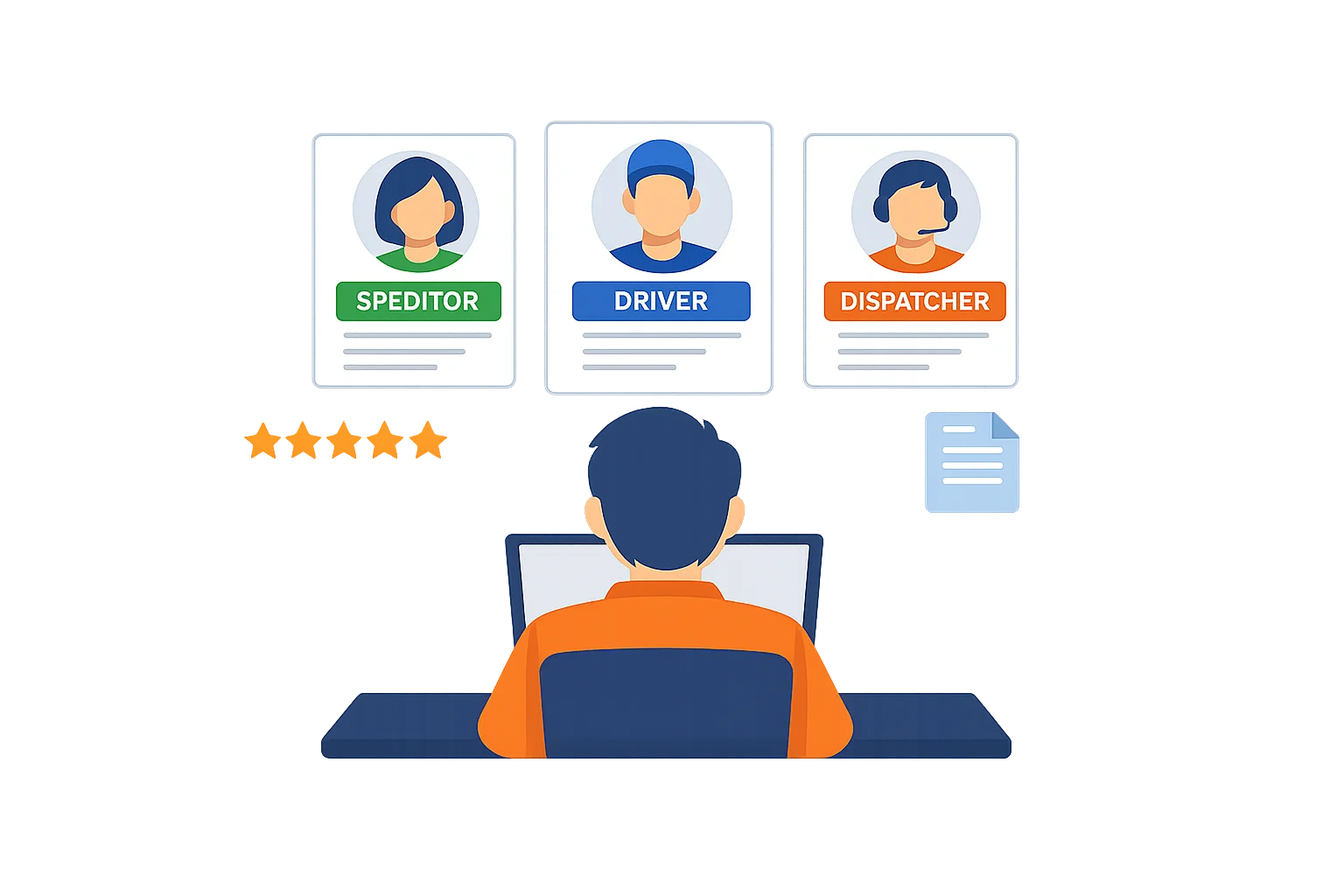
Invite employees by email and assign them a role — dispatcher, driver, speditor, or manager. Each role comes with a suggested permission preset, or you can build a custom one.
Control exactly what each team member can see and do: post loads, manage deals, use chat, give ratings, or access company documents. Every action is permission-gated and fully transparent.

Why Managers Choose PickUp2
Invite your team, assign roles and permissions, track deals and ratings — all from one dashboard that puts you in control.
Role-based permissions
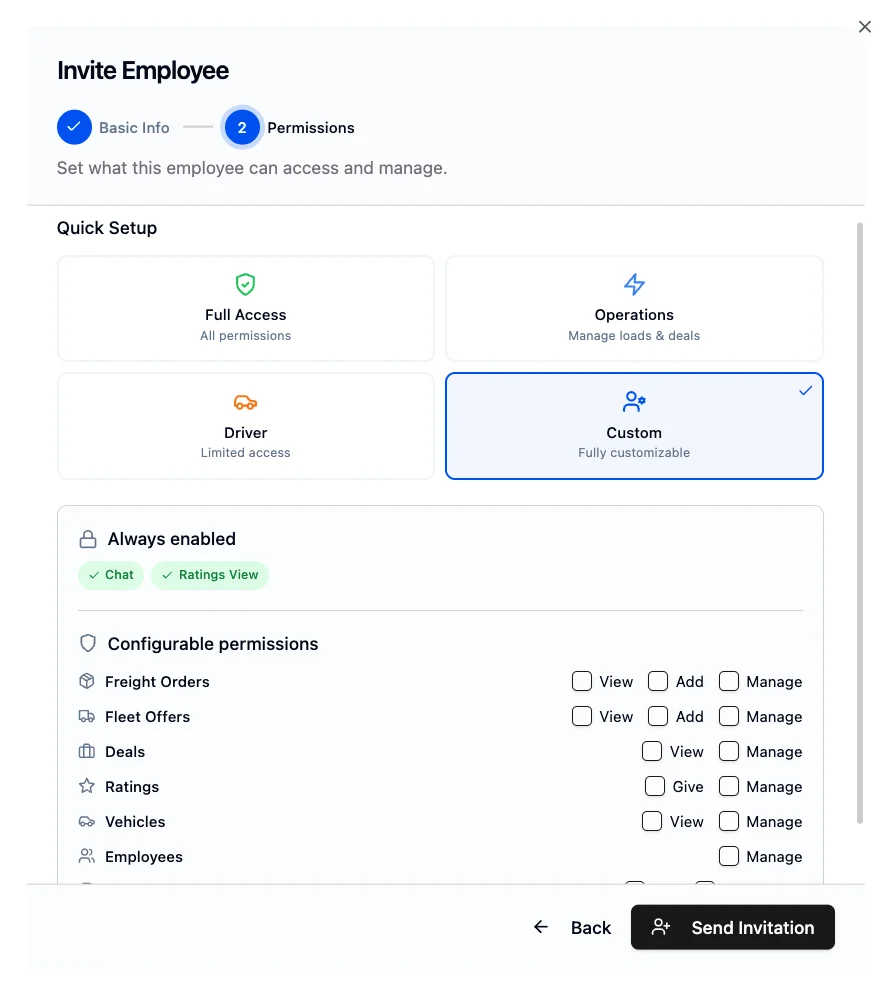
Assign Full Access, Operations, or Driver presets to team members — or build a custom permission set. Control access to freight orders, fleet offers, deals, chat, ratings, and company settings per employee.
Team overview
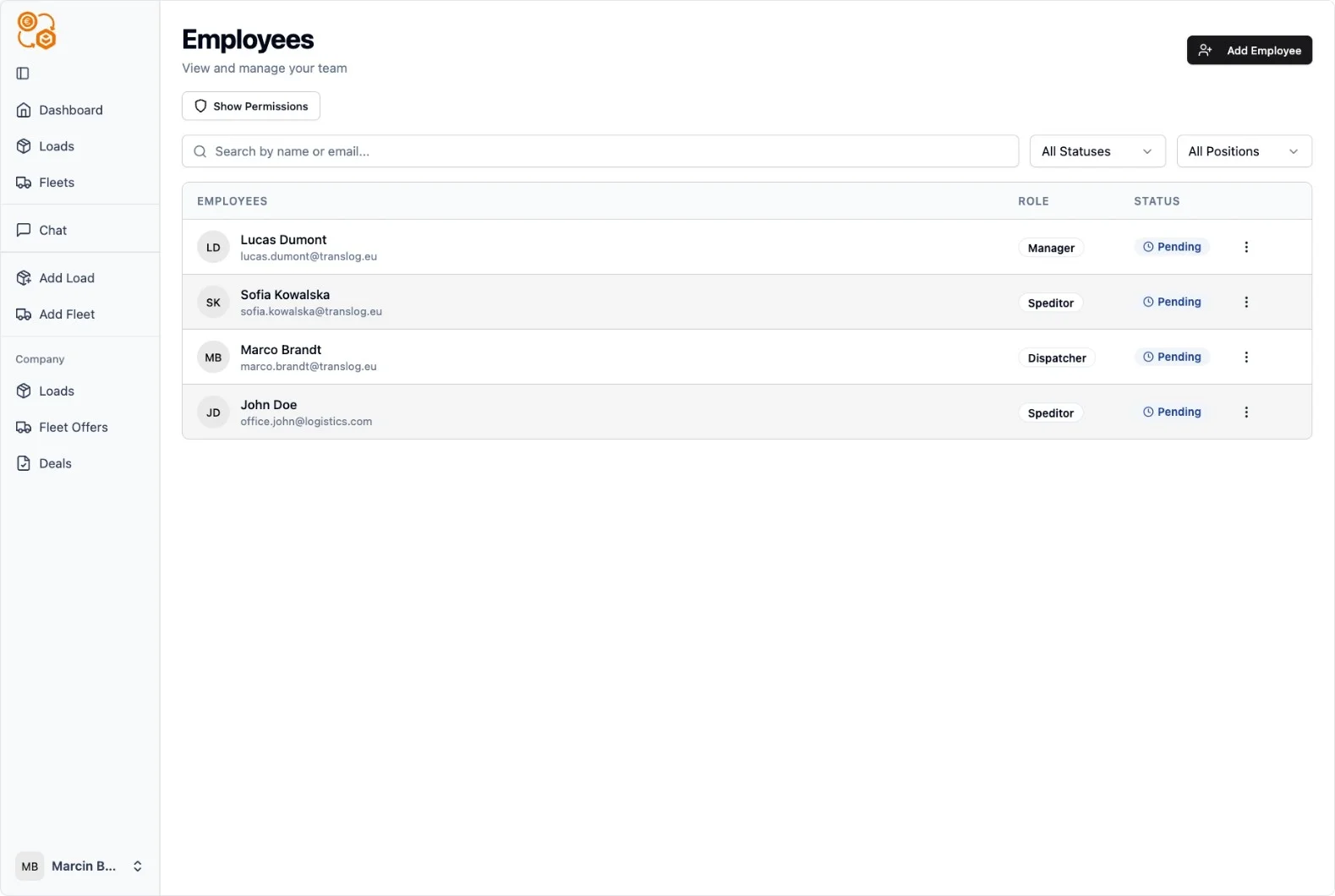
See every team member, their role, status, and activity from one page. Invite new employees, resend invitations, edit roles, or remove members — all in a few clicks.
Company settings
Manage your company profile, upload documents, and track billing and invoices. Update your logo, VAT number, and contact details — everything your company needs in one place.
Deals and ratings
Monitor active deals across your team, track your company's overall rating, and see which transactions still need reviews. Build trust with every completed deal.
Take Control of Your Team Today
Set up your company, invite your first team member, and start managing operations in minutes. PickUp2 gives you the visibility and control you need.
Fine-Grained Permission Control
Choose from built-in presets — Full Access for senior staff, Operations for dispatchers and speditors, Driver for field crew — or build a fully custom permission set.
Every permission is toggleable: freight orders, fleet offers, deals, chat, ratings, fleet management, employees, and company profile. You decide who sees what.
Your Company Profile, Fully Managed
Upload your company logo, manage documents, and keep your VAT and contact details up to date. Track billing history, download invoices, and monitor payment status — all from your settings page.
Your team stats, company rating, and recent activity are always one click away on your dashboard.
Full Visibility, Total Control
PickUp2 gives managers one place to oversee team members, permissions, deals, and company settings. No more juggling between tools — just a clear view of your entire operation.
Every deal your team closes builds your company's verified profile and rating, helping you attract better partners and grow your logistics business across Europe.